Commercial Property Flyer Templates
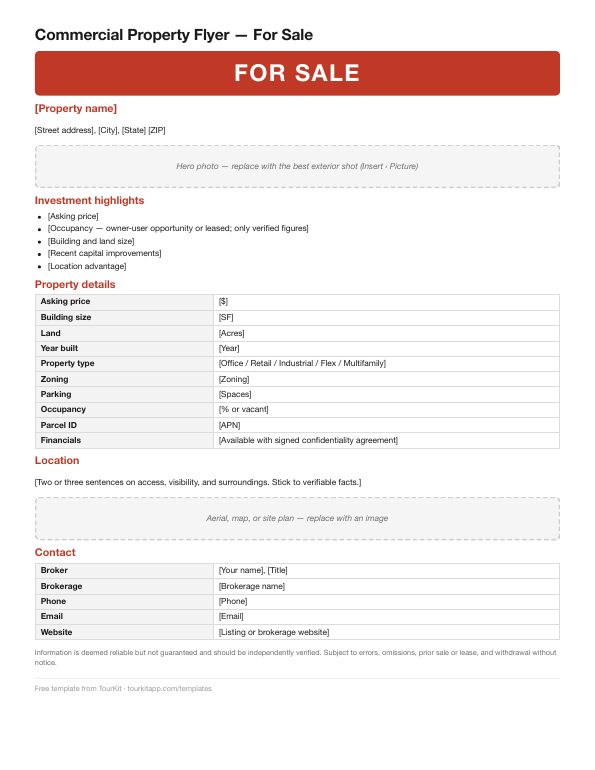
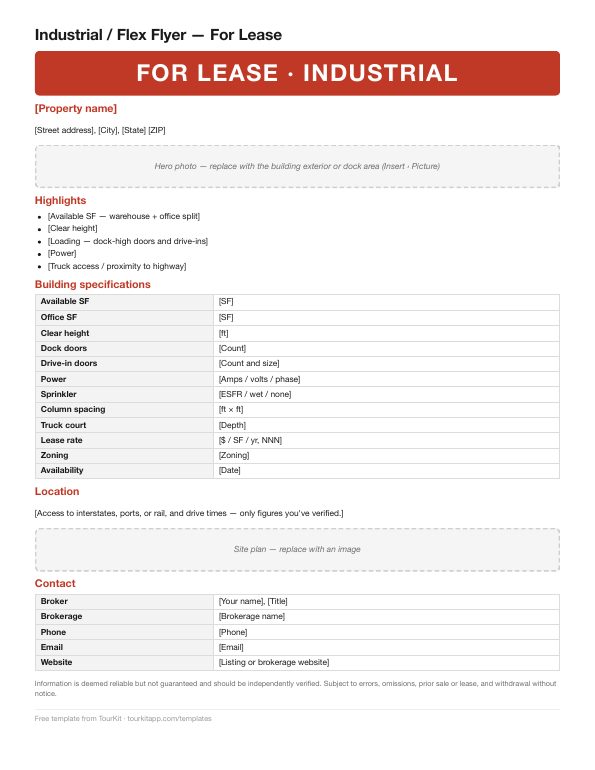
Three free, editable one-page flyers — office/retail for lease, for sale, and industrial for lease — with every property-data field a broker needs. Word and PDF. No email required.
Download free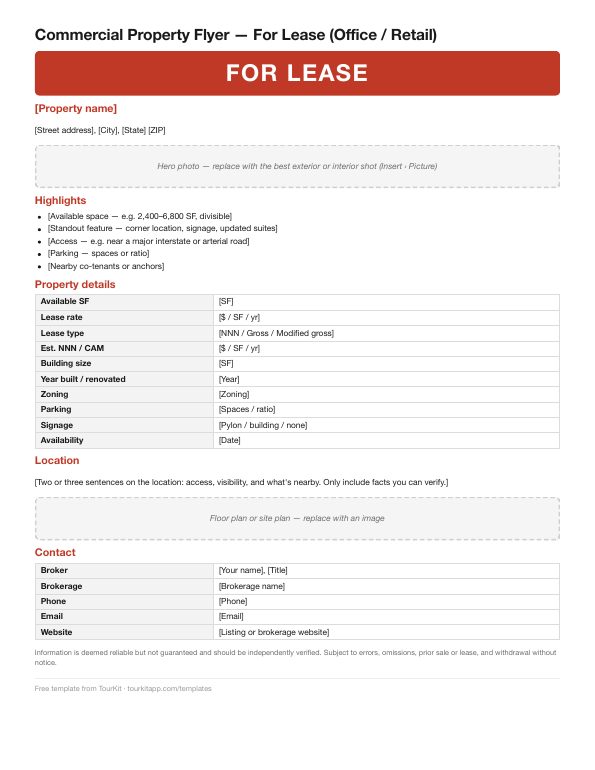
Download — free, no email
Word files open in Microsoft Word, Google Docs (File › Open › Upload), and Apple Pages.
What to put on a commercial property flyer
A good commercial flyer answers the first round of questions before anyone calls. Each template includes the fields tenants, tenant reps, and investors look for:
- For lease: available SF, lease rate ($/SF/yr), lease type (NNN, gross, modified gross), estimated NNN/CAM, parking, signage, zoning, and availability date.
- For sale: asking price, building and land size, year built, property type, occupancy, zoning, parcel ID, and how to request financials.
- Industrial: clear height, dock and drive-in doors, power, sprinkler type, column spacing, and truck court depth.
Tips for a flyer that gets calls
- One page. Details go in the offering memorandum; the flyer's job is to get the inquiry.
- Lead with the best photo — exterior with signage for retail, the dock area for industrial.
- Only verified numbers. Don't estimate traffic counts, cap rates, or occupancy. Leave a field off rather than guess.
- Keep the disclaimer. Each template includes standard “deemed reliable but not guaranteed” language.
- Add a QR code to the listing page or offering memorandum. The free QR code tool makes a print-quality one.
Want the flyer made from your photos automatically?
TourKit's commercial kit turns your property photos into a branded flyer with a QR code, plus a property video, LinkedIn and Instagram posts, and captions — with For Sale or For Lease campaigns and a Lease Rate label built in. Your first listing is free.
Frequently asked questions
What should be on a commercial real estate flyer? +
The property name and address, a strong photo, key highlights, a details table (size, rate or price, lease type, zoning, parking, availability), a location summary, a floor or site plan, broker contact information, and a standard disclaimer.
Are these commercial flyer templates free? +
Yes. All three templates are free to download in Word and PDF, with no email or signup required.
Can I edit these templates in Google Docs? +
Yes. Upload the Word file to Google Drive and open it with Google Docs, or open it in Microsoft Word or Apple Pages.
Should a commercial flyer be one page? +
Usually yes. The flyer's job is to get an inquiry; detailed financials and plans belong in the offering memorandum.
What's the difference between the for lease and for sale templates? +
The for lease template focuses on available space, lease rate, lease type, and NNN costs. The for sale template focuses on asking price, building and land size, occupancy, and how to request financials.
Skip the template — get it made for you
TourKit turns your listing photos into branded graphics for every stage, a listing video, captions, and a print flyer in about two minutes. Your first listing is free.
Start freeRelated: TourKit for commercial listings · Commercial listing marketing ideas · Free listing description generator · All templates